ROD App

  • To unlock all of features of Rams On Demand please take a brief moment to register. Registering is not only quick and easy, it also allows you access to additional features such as live chat, private messaging, and a host of other apps exclusive to Rams On Demand.
According to documentation:

The “Install app” button in (OUR SOFTWARE USER INTERFACE) is for the site’s Progressive Web App (PWA), and it’s cross-platform (desktop + Android + iPhone/iPad), not iPhone-only.

What’s different is the install experience by device/browser:

iPhone/iPad (iOS): It’s basically Safari → Share → “Add to Home Screen.” XenForo’s own manual calls this out, and notes iOS support is tied to Safari and newer iOS versions (iOS 16.4+ for the “installed PWA” flow used for push notifications).

Android (Chrome/Edge) + many desktops: The browser can do a more “native” install prompt and actually drops an app icon like an installed app.

On Android (Chrome/Edge) and desktop browsers, the browser will often show a pop-up like:

“Install this app?” or “Add to Home screen?”

If the user taps Install, the browser:
  • adds an icon to the phone/desktop (home screen, app drawer, start menu, etc.)
  • and the site then opens in its own app-like window (no browser address bar), as if it were a real app
On iPhone, you usually don’t get that nice “Install?” pop-up. Users normally have to do:

Safari → Share → Add to Home Screen

End result is similar (an icon that launches the site like an app), but the prompt/flow is less automatic on iOS.

I do not have android to test.

Android users share if you’re able!
 
  • Like
Reactions: MaxQ28
Damn. First @RamFan503, then @Loyal and @RhodyRams and now @Merlin.

Finally made the bigtime!

(Looks like thje word is out)
Makes me want to wear a fake bluetooth and strut through the veggie aisle at the supermarket barking out buy orders to a fictitious broker. "Goddammit Bob I thought I told you to move $5M over to Google last Tuesday WTF DUDE."
 
That “video “ instruction was useless. Thanks to I don’t know who on here gave some advice on sharing and add to desktop. Only way I could do it
 

Attachments

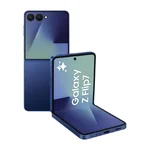
  • Samsung-Galaxy-Z-Flip-7-.webp
    Samsung-Galaxy-Z-Flip-7-.webp
    14.7 KB · Views: 11
According to documentation:

The “Install app” button in (OUR SOFTWARE USER INTERFACE) is for the site’s Progressive Web App (PWA), and it’s cross-platform (desktop + Android + iPhone/iPad), not iPhone-only.

What’s different is the install experience by device/browser:

iPhone/iPad (iOS): It’s basically Safari → Share → “Add to Home Screen.” XenForo’s own manual calls this out, and notes iOS support is tied to Safari and newer iOS versions (iOS 16.4+ for the “installed PWA” flow used for push notifications).

Android (Chrome/Edge) + many desktops: The browser can do a more “native” install prompt and actually drops an app icon like an installed app.

On Android (Chrome/Edge) and desktop browsers, the browser will often show a pop-up like:

“Install this app?” or “Add to Home screen?”

If the user taps Install, the browser:
  • adds an icon to the phone/desktop (home screen, app drawer, start menu, etc.)
  • and the site then opens in its own app-like window (no browser address bar), as if it were a real app
On iPhone, you usually don’t get that nice “Install?” pop-up. Users normally have to do:

Safari → Share → Add to Home Screen

End result is similar (an icon that launches the site like an app), but the prompt/flow is less automatic on iOS.

I do not have android to test.

Android users share if you’re able!

Weird Science Chet GIF by LosVagosNFT
 
According to documentation:

The “Install app” button in (OUR SOFTWARE USER INTERFACE) is for the site’s Progressive Web App (PWA), and it’s cross-platform (desktop + Android + iPhone/iPad), not iPhone-only.

What’s different is the install experience by device/browser:

iPhone/iPad (iOS): It’s basically Safari → Share → “Add to Home Screen.” XenForo’s own manual calls this out, and notes iOS support is tied to Safari and newer iOS versions (iOS 16.4+ for the “installed PWA” flow used for push notifications).

Android (Chrome/Edge) + many desktops: The browser can do a more “native” install prompt and actually drops an app icon like an installed app.

On Android (Chrome/Edge) and desktop browsers, the browser will often show a pop-up like:

“Install this app?” or “Add to Home screen?”

If the user taps Install, the browser:
  • adds an icon to the phone/desktop (home screen, app drawer, start menu, etc.)
  • and the site then opens in its own app-like window (no browser address bar), as if it were a real app
On iPhone, you usually don’t get that nice “Install?” pop-up. Users normally have to do:

Safari → Share → Add to Home Screen

End result is similar (an icon that launches the site like an app), but the prompt/flow is less automatic on iOS.

I do not have android to test.

Android users share if you’re able!
Listen GIF by Laff